Every enquiry answered
and in your CRM
before anyone opens a laptop.
A new enquiry arrives. Within a minute it has been validated, scored, filed in the CRM, added to the team's spreadsheet, acknowledged by email and announced in Slack — with nobody copying anything by hand. This page walks through that system, running, step by step.
Right now, a person is doing this by hand.
In most companies an enquiry lands in an inbox and waits. Someone opens it, retypes the details into the CRM, updates a spreadsheet, writes a reply, sets a reminder to chase it, and tells the team. Every step is a chance to be slow, to make a typo, or to forget entirely — and it all stops when that person is on holiday.
Hours spent retyping
The same details get keyed into the CRM, the spreadsheet and the reply. It is skilled people doing data entry, every day, forever.
Slow replies lose deals
An enquiry answered next morning competes with one answered in a minute. The gap is not effort — it is whether anyone was at a desk.
Follow-ups quietly stop
The first email goes out. The second and third depend on somebody remembering, so a share of every month's enquiries simply goes cold.
Nobody can prove what happened
"Did we ever reply to them?" turns into an archaeology exercise across an inbox, a CRM and a spreadsheet that disagree with each other.
The same work, done by software.
Nothing about the process changes for your team — the CRM, the spreadsheet, the inbox and Slack stay exactly where they are. What disappears is the person in the middle moving information between them.
| When an enquiry arrives | By hand, today | Automated |
|---|---|---|
| Checking the details are usable | Read it, spot the typo, guess the intent | Validated on arrival, bad data rejected before it enters |
| Deciding who is worth calling first | A judgement call, different every time | Scored on the same rules every time, with the reasoning saved |
| Getting it into the CRM | Retyped, sometimes twice, sometimes never | Created or updated automatically, no duplicates |
| Acknowledging the enquiry | When someone gets to it | Within a minute, around the clock |
| Telling the team | A message, if it is remembered | Posted to Slack the moment a strong lead lands |
| Chasing a reply | A reminder that gets snoozed | Scheduled follow-ups that stop by themselves once they reply |
| Proving what happened | Searching three tools | Every step recorded against the enquiry |
Not a new tool for your team to learn
The engine behind this is n8n, a workflow automation platform. If you have not heard of it, that is the point — nobody in your company needs to open it. It runs in the background, and your team keeps working in the CRM and the inbox they already use.
It is self-hosted, which matters for two practical reasons: your customer data never passes through a third-party automation service, and there is no per-task or per-seat fee that grows every time you get busier.
Built for your process, not a template
The rules that decide what counts as a strong enquiry are yours. Budget, timing, company size, the service they want — all of it is configuration, adjusted after you see how your real enquiries score.
The same applies to the destinations. This system talks to HubSpot, Google Sheets, Gmail and Slack because that is what the business used. Swapping any of them for Pipedrive, Outlook or Teams changes one workflow, not the architecture.
Follow one enquiry through the system.
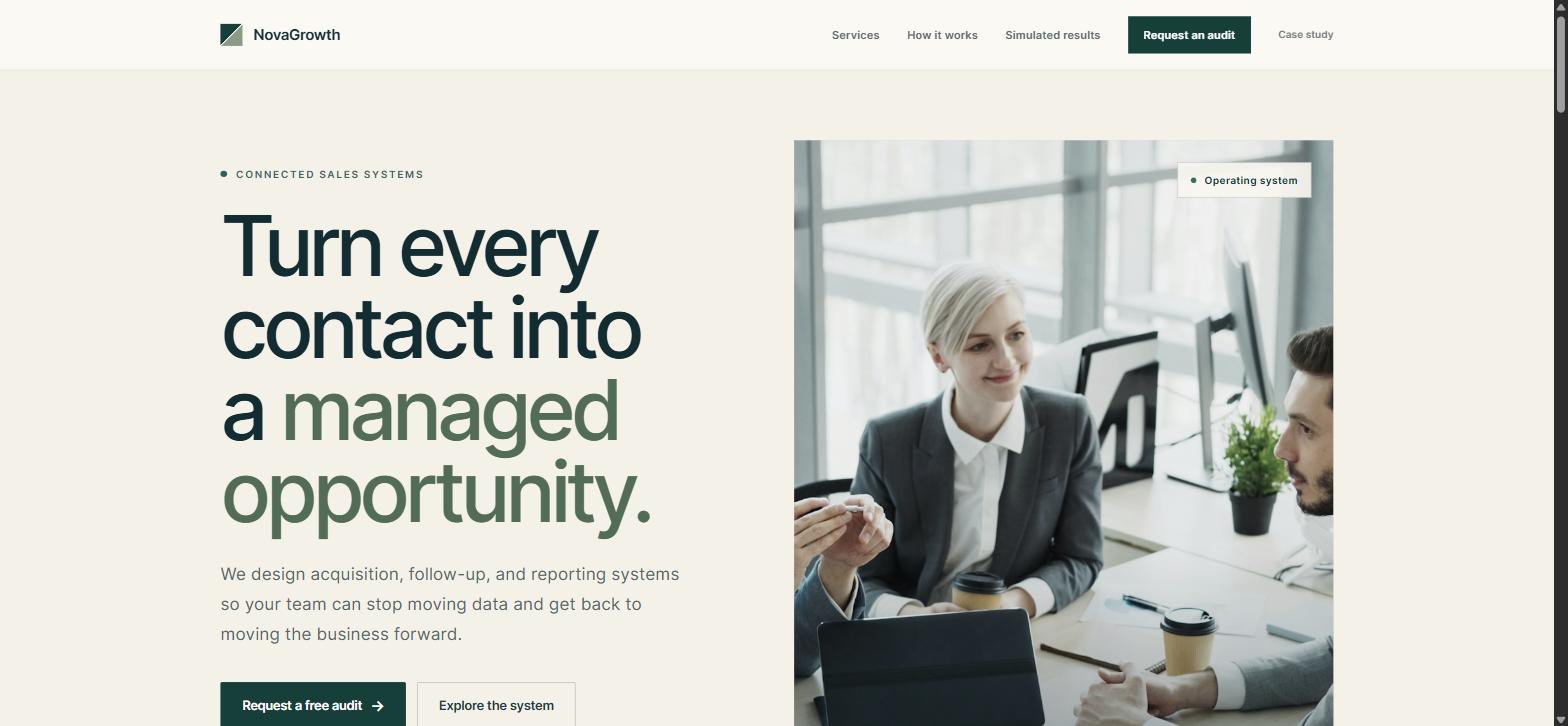
Six stages, each one shown in the software as it actually runs — not a diagram. From the moment somebody hits send to the moment the result appears on a dashboard.
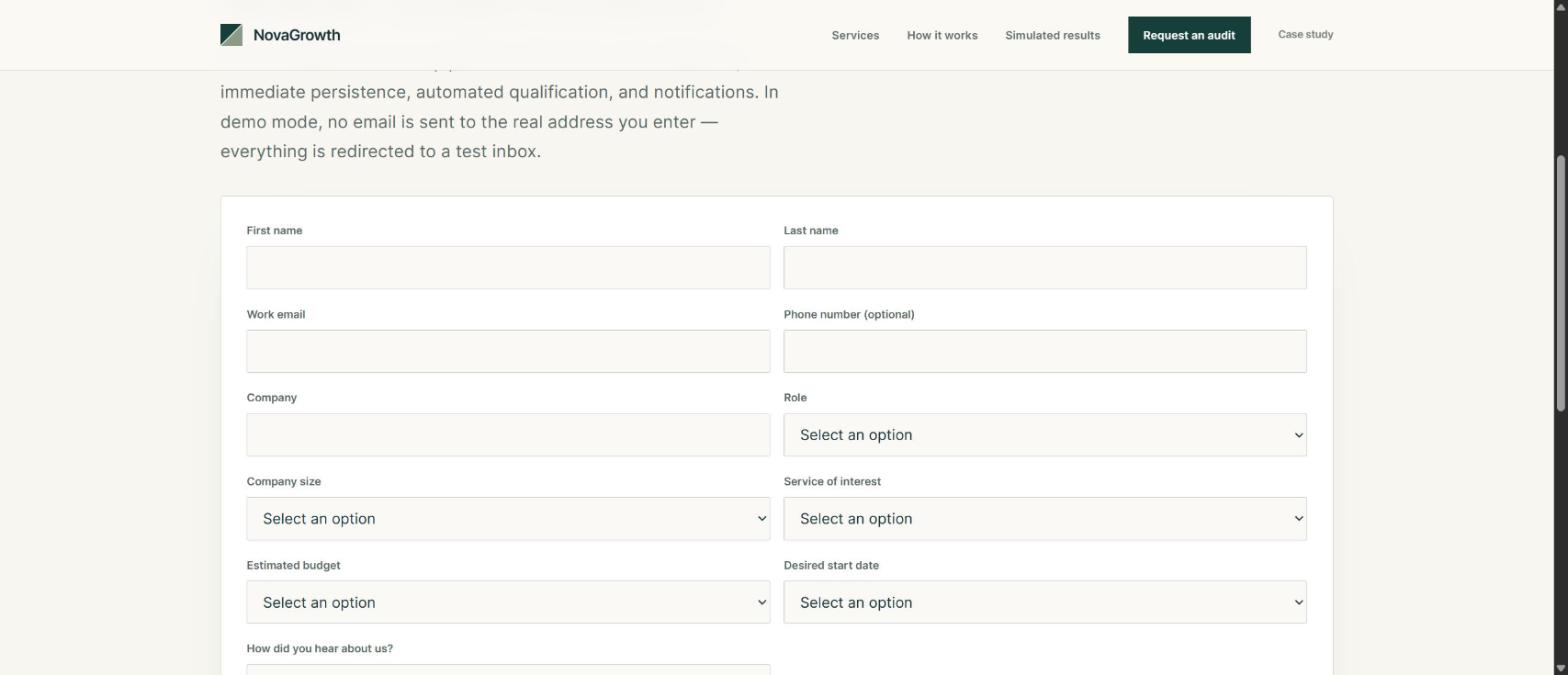
A form that refuses bad data twice.
The browser validates first, then the Worker validates again from scratch — it never trusts the client. Whitespace and email are normalised, consent is mandatory, the message must be 20–2,000 characters, and a honeypot plus a submission-timing check filter bots.
UTM parameters are captured for attribution. The response never reveals the internal score or any integration ID.
The enquiry is safe before anything else is attempted.
It is written to the database first, and only then does the automation start. If somebody clicks send twice, you get one enquiry, not two — no duplicate contact in the CRM and no duplicate email to the customer.
This is the decision that protects revenue: the enquiry is captured even if the CRM, the mail provider and the automation engine are all down. When they come back, the work resumes on its own. An outage costs you minutes of delay, never a lost customer.
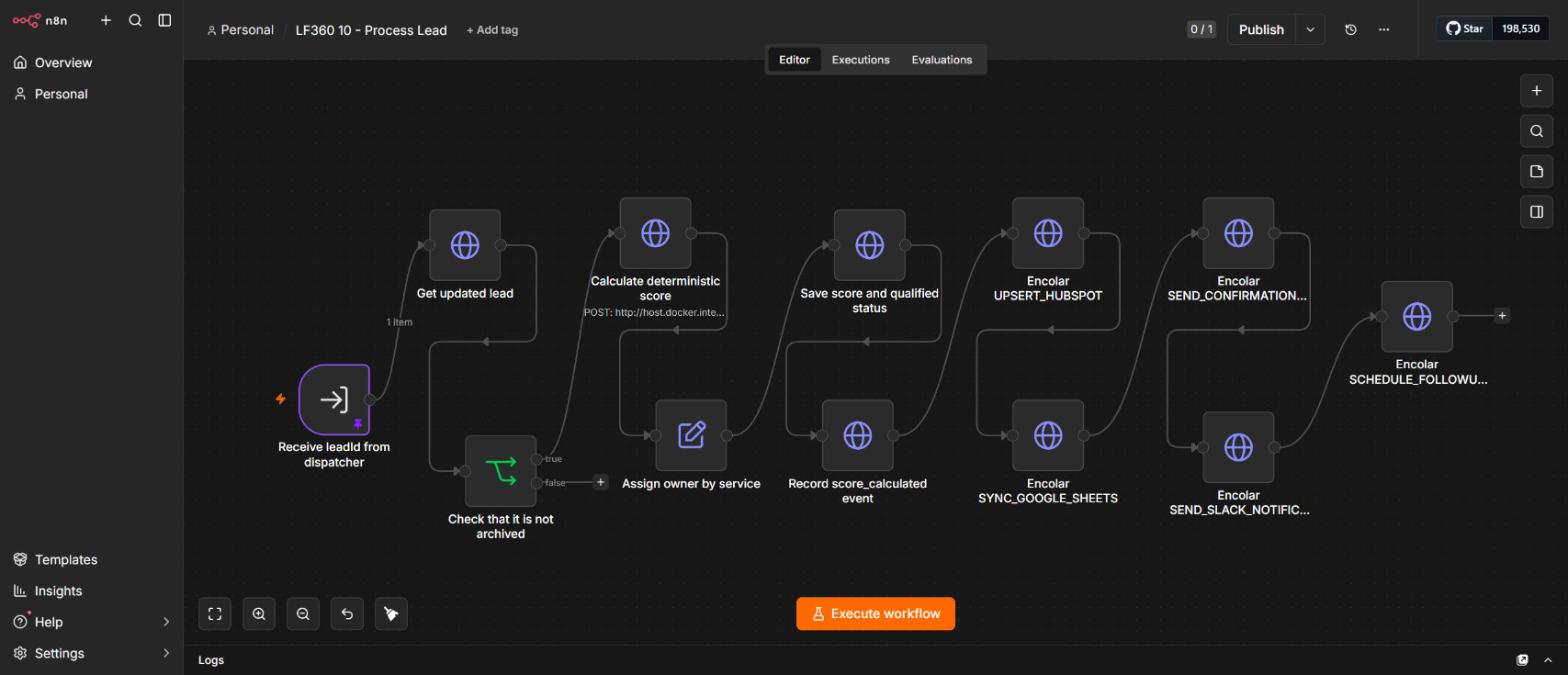
Your sales team knows who to call first.
Budget, timing, role, company size, the service requested and the quality of what they wrote produce a score and a hot, warm or cold rating — applied identically to every enquiry, at three in the morning included. The reasoning behind each score is saved, so a rating can still be explained months later instead of being an opinion nobody remembers forming.
It lives in one shared TypeScript module, exposed to n8n over an internal endpoint — visible below as an HTTP call rather than logic re-implemented in the workflow. The CRM, the dashboard and the unit tests cannot drift apart.
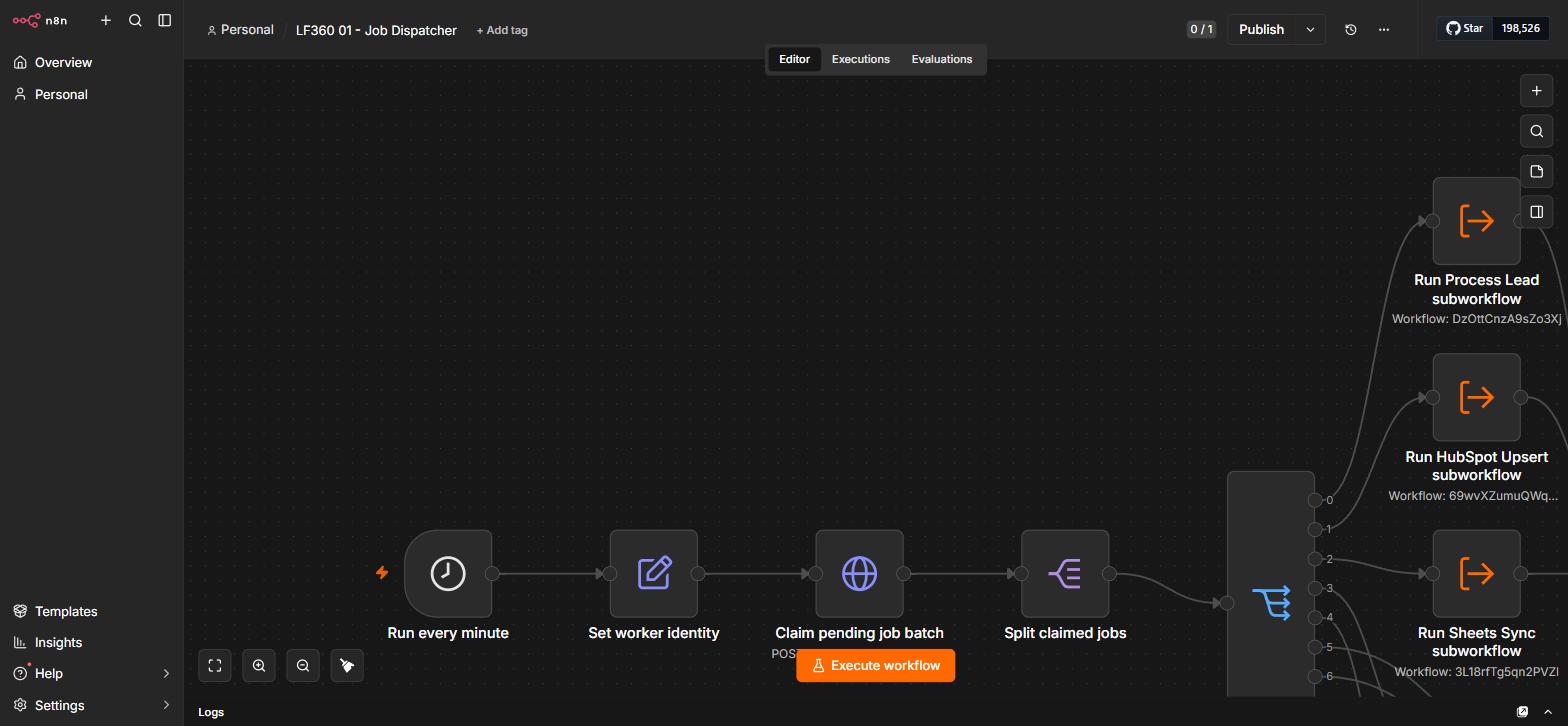
A queue, not a chain of webhooks.
Every side effect is a durable job with a logical unique key, a lease, an attempt count and exponential backoff. The dispatcher runs every minute, atomically claims a leased batch so two runs cannot grab the same work, splits it and routes by job type.
Each branch is a separate subworkflow. HubSpot being down cannot delay the confirmation email or the Slack alert.
Four tools updated at once, none waiting on another.
The CRM record, the spreadsheet row, the confirmation email, the Slack alert and the follow-up schedule are five separate jobs. If HubSpot is having a bad morning, your customer still gets their reply on time and the CRM catches up by itself.
Emails are checked for being fully assembled before they count as sent, so a half-filled template with a placeholder where the customer's name should be is treated as a failure — not delivered and quietly embarrassing.
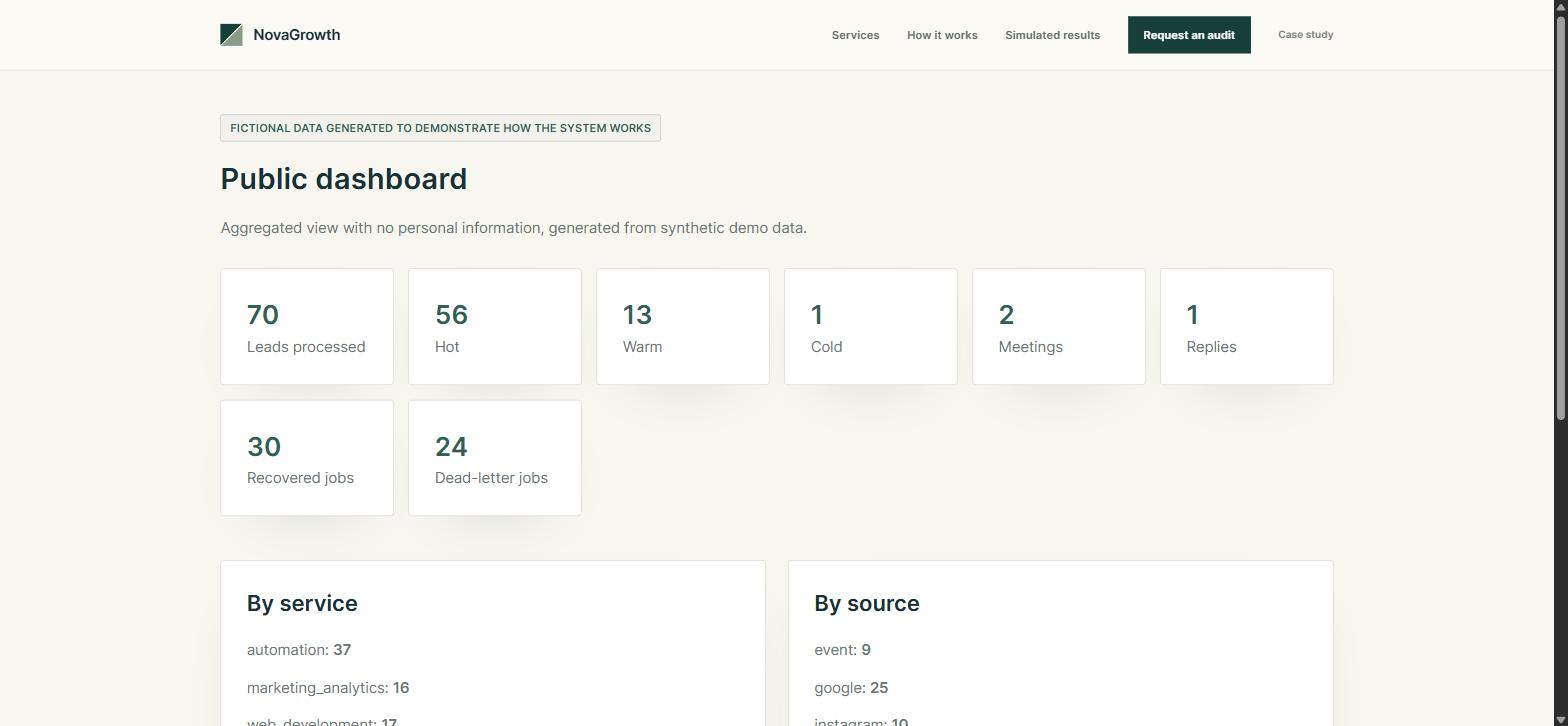
Aggregate truth, without exposing anyone.
The public dashboard reads straight from D1 and shows temperature split, meetings, replies and — deliberately — recovered jobs and dead-letter count. A pipeline that only reports successes is not telling you anything.
No personal data is exposed: no names, no emails, no raw IPs, and never the internal score.
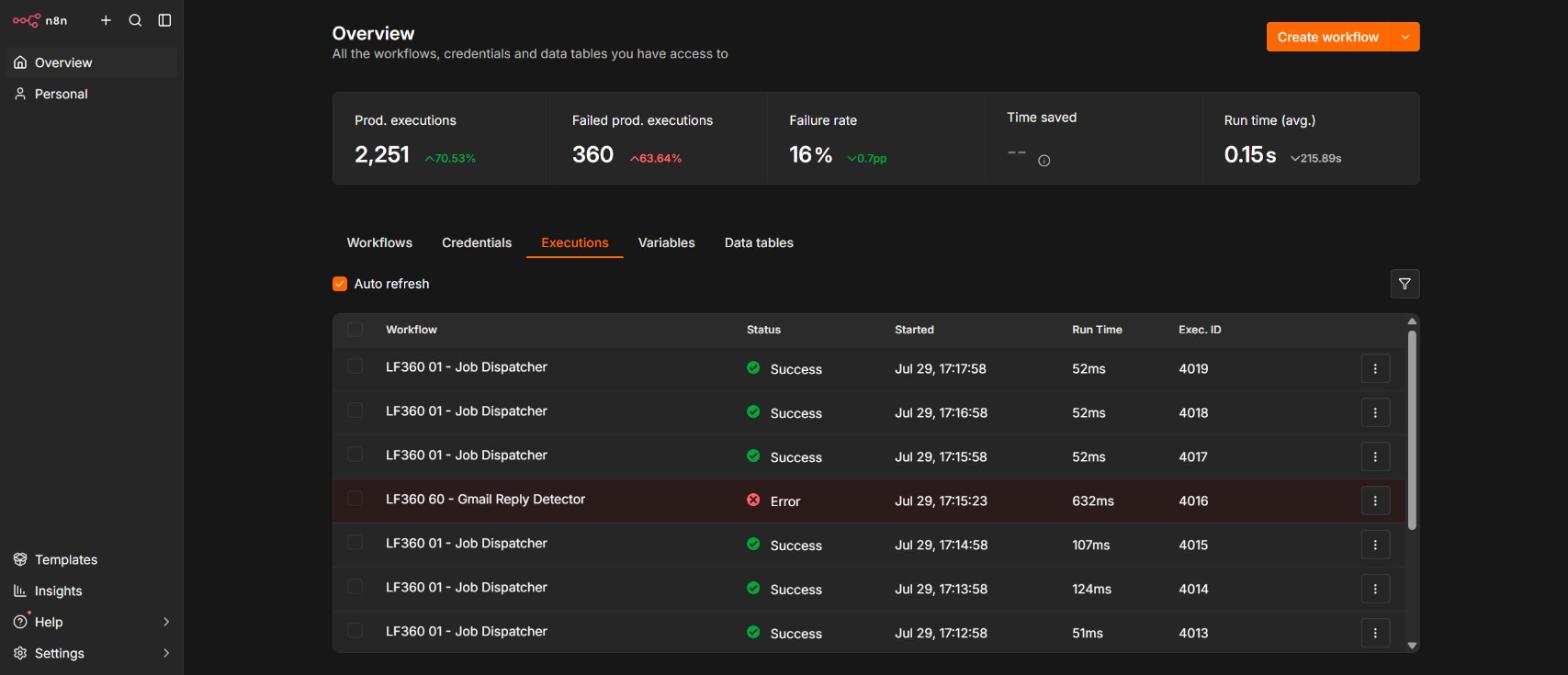
What happens on a bad day.
Every automation eventually hits a service that is down or an expired password. What separates a system you can rely on from one you cannot is whether it tells you. The red row below is a genuine failure — caught, recorded and retried, not swallowed.
Failures are visible, bounded and recoverable.
A failing job backs off exponentially and is retried a bounded number of times. When it exhausts them it moves to a dead-letter path instead of looping forever — and it surfaces in the public dashboard, because a queue that never reports failures is not being honest.
A dedicated error-handler workflow sanitises the error before recording it, so no credential or personal data leaks into a log.
Decisions worth arguing about.
Database over automation tool
D1 accepts and acknowledges leads independently of n8n, so an automation outage degrades the system instead of losing business.
Idempotent, leased jobs
Every job carries a logical unique key and a lease. Re-running the dispatcher or replaying a webhook cannot create duplicate contacts or emails.
Single scoring implementation
Shared TypeScript exposed to n8n over an internal endpoint, with auditable rule breakdowns stored per lead.
Demo mode is enforced server-side
Redirects outbound email, masks recipients, flags records, rate-limits anonymised IPs and blocks irreversible actions — in the Worker, never trusted to the UI.
Nothing sensitive is stored
No raw IPs, no tokens, no unnecessary PII. Prepared statements, field allowlists, sanitised logs, CSP and anti-framing headers.
Twelve explicit pipeline states
From received to won, lost or archived, with every transition written to an event log.
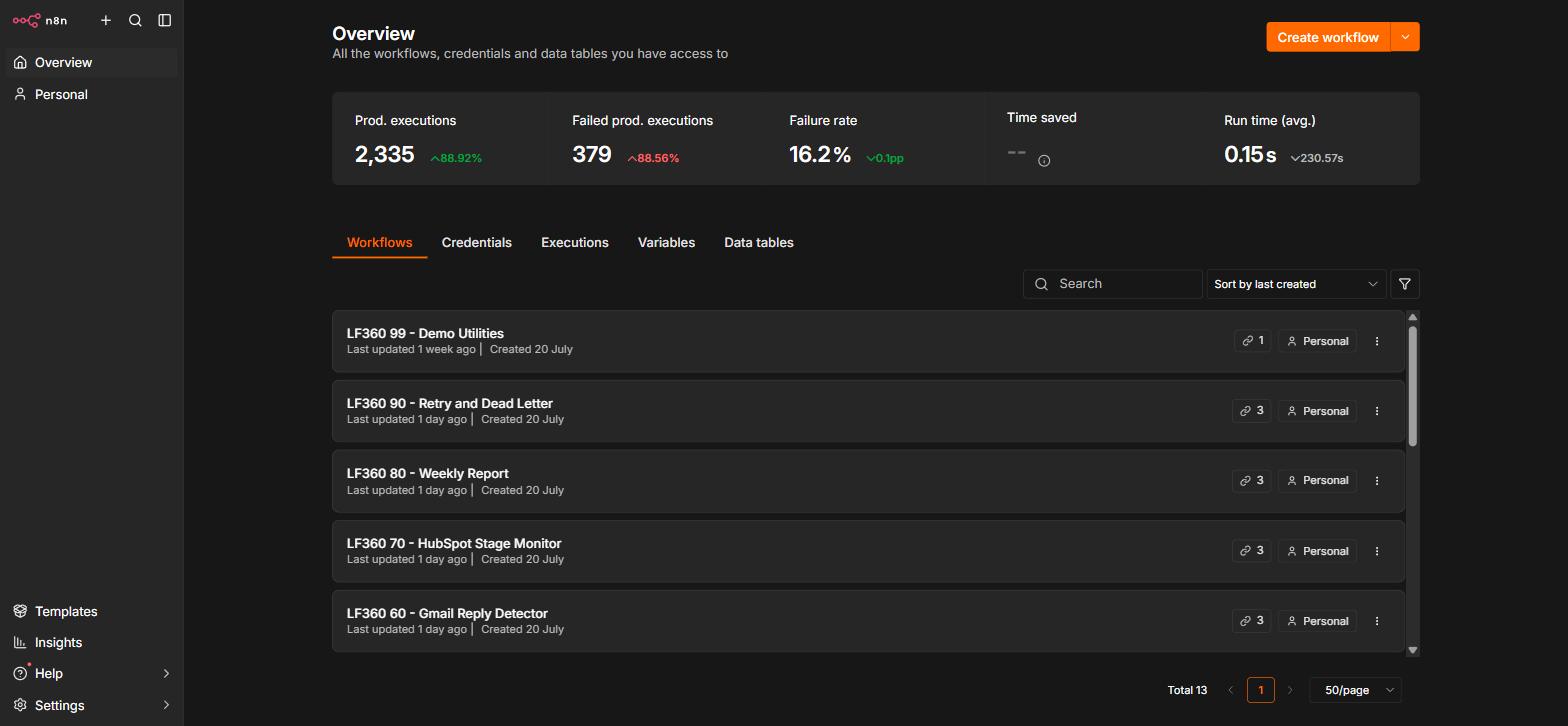
The thirteen workflows.
| ID | Workflow | Responsibility |
|---|---|---|
| 00 | Error Handler | Sanitises errors, records and retries without looping |
| 01 | Job Dispatcher | Claims leased work every minute and routes it |
| 10 | Process Lead | Scores, assigns an owner, updates D1, queues dependent work |
| 20 | HubSpot Upsert | Upsert with pipeline IDs discovered from the account |
| 30 | Sheets Sync | Operational view, keyed on a stable lead_id |
| 40 | Gmail Confirmation | Templated confirmation, fully rendered before it counts as sent |
| 41 | Gmail Follow-up | Sequenced follow-ups with stop conditions |
| 50 | Slack Notify | Sanitised internal alerts for hot leads and errors |
| 60 | Reply Detector | Detects replies and halts the sequence |
| 70 | Stage Monitor | Reconciles CRM stage back into the pipeline state |
| 80 | Weekly Report | Aggregates metrics into a scheduled report |
| 90 | Retry & Dead Letter | Backoff, bounded attempts and the dead-letter path |
| 99 | Demo Utilities | Demo data retention and reset |
Delivered as software, not a sketch.
Every one of these gates runs before anything reaches your production systems. It is the difference between an automation that works on the day it is demoed and one you can still trust in eight months.
pnpm lint          # zero warnings allowed
pnpm typecheck     # tsc --noEmit, all packages
pnpm test          # 59 unit + integration
pnpm test:e2e      # Playwright
pnpm build         # production build
pnpm n8n:validate  # 13 workflow exports
pnpm security:check
Need something like this built?
If your team is retyping the same information between tools, that work can be handed to software this month. I design and build the automation, connect it to the systems you already use, and leave you something tested that keeps running without me. Open to freelance projects and full-time roles.